
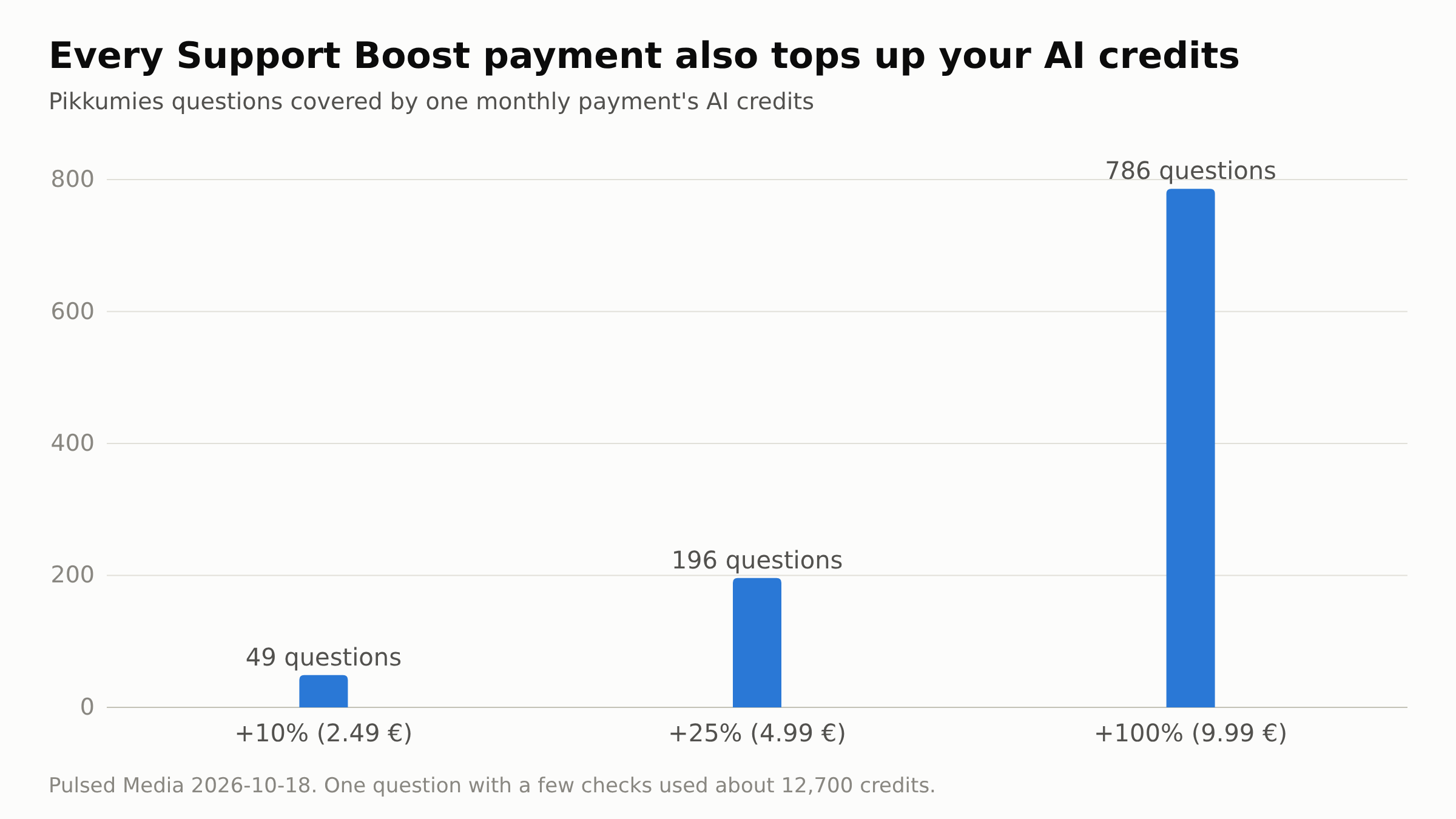
Support Boost gives your support tickets about one service priority, and every payment adds AI credits to your account: from 2.49 € a month, with 622,500 AI credits a month at that level, enough for about 35 questions to Pikkumies, the AI helper that answers right inside your seedbox account.
More than half of all tickets already get their first reply within an hour. The current figures are published live in our support statistics feed. Support Boost adds priority for the service you rely on most, and part of what it earns goes toward more support capacity for all customers.
The three levels
| Level | Per month | Ticket priority | AI credits per monthly payment |
|---|---|---|---|
| +10% | 2.49 € | +10% | 622,500 (about 35 Pikkumies questions) |
| +25% | 4.99 € | +25% | 2,495,000 (about 139 questions) |
| +100% | 9.99 € | +100% | 9,990,000 (about 555 questions) |
Prices exclude VAT. Accounts billed in USD or AUD see the prices in their own currency.
How the priority works
The boost raises the priority of your tickets about the boosted service by 10%, 25% or 100%. Priority sets the order in which open tickets are worked on. It is not a promise of a reply within a set time.
When it applies
- The boosted service is chosen as the ticket's related service, in any department. On a seedbox or storage box, the Open a ticket button on the service page sets it.
- The ticket is about a technical need of that service: it is down, slow or misbehaving, or you want something set up or fixed on it.
A boosted ticket about something else is still answered in full; the reply opens with one line saying the boost is only for that service's technical needs. Like other priority bonuses, Support Boost can be withdrawn for abusive behaviour toward support.
Ordering
Pick Support Boost when you order a service. On most plans you can also add it later to a service you already have: open the service under Services, My Services, and change its options in the same place where you add extra disk, traffic or bandwidth. Support Boost is one list with No Extra as the default, so you choose one level, and you can change or remove it the same way. Each boost belongs to one service; it does not apply to tickets about your other services. If you are unsure which service a ticket is about, How do I find my Service ID? shows where to look. The boost starts working within about 15 minutes of the payment.
If your account has an active Dragon-R plan, every one of its tickets already carries extra ticket priority: +10% on Mushu, +15% on Toruk, +20% on Shenlong and +25% on Temeraire. Support Boost adds its percentage on top of that. Accounts on the older Dragon plans also carry extra priority. On the Dragon services themselves only +100% is offered.
Billing cycles and long-term discounts
The boost is billed together with the service at every renewal, on the service's own billing cycle. Added in the middle of a period, its first invoice covers only the days left until the next due date.
| Cycle | +10% | +25% | +100% | Discount |
|---|---|---|---|---|
| Monthly | 2.49 € | 4.99 € | 9.99 € | none |
| Quarterly | 7.47 € | 14.97 € | 29.97 € | none |
| Semi-annual | 14.94 € | 29.94 € | 59.94 € | none |
| Annual | 28.38 € | 56.88 € | 113.88 € | 5% |
| Biennial | 53.78 € | 107.78 € | 215.78 € | 10% |
| Triennial | 76.19 € | 152.69 € | 305.69 € | 15% |
AI credits follow the amount actually paid, so a yearly payment adds them all at once.
If you pay by PayPal automatic payment, adding or removing the boost on an existing service ends that automatic payment, and your renewals then come as invoices to pay.
Using the AI credits
The credits go to the same balance your services already fill, and the account bonus does not change them. You can spend them with Pikkumies, the AI helper that runs inside your seedbox account, or with your own AI key. A Pikkumies question used about 18,000 credits on average on the default model in our tests, so the +10% level pays for about 35 such questions a month, about 3.5 times what an M1000 S at list price with no account bonus earns. See Pulsed Media AI Credits and Pikkumies on PMSS on our wiki, and Pulsed Media Support Boost for the full reference.
