
Good news: your seedbox can now run OpenClaw, an open-source AI agent you talk to through a web page or a chat app, inside your own account. One command sets it up. Nothing changes for anyone who does not run it.
How to start
Log in over SSH and run install-openclaw install. The installer brings its own Node.js, puts OpenClaw in your home directory and starts it. The first start can take a minute or two on a busy server, so give it that long before you check install-openclaw status, even if the installer says the gateway did not stay running. Two lines in your own crontab keep it running and bring it back after a server reboot. Then add your model provider's key with openclaw configure --section model. We supply no key: your prompts go to the provider you pick, under its terms.
Before you install
Count before you sow: installing needs room for about 55,000 files and 1.3 GB, and seedbox plans count files as well as space. Run quota -s and check that 60,000 more files fit under your file limit. Larger plans carry a larger file quota.
Keep it yours
OpenClaw runs commands as your account, so its gateway token is a word of power: worth as much as your SSH password, and kept the same way. The gateway listens only on the server's loopback address and will not start without that token. You reach it through an SSH tunnel from your own computer, and the page asks for the token first:
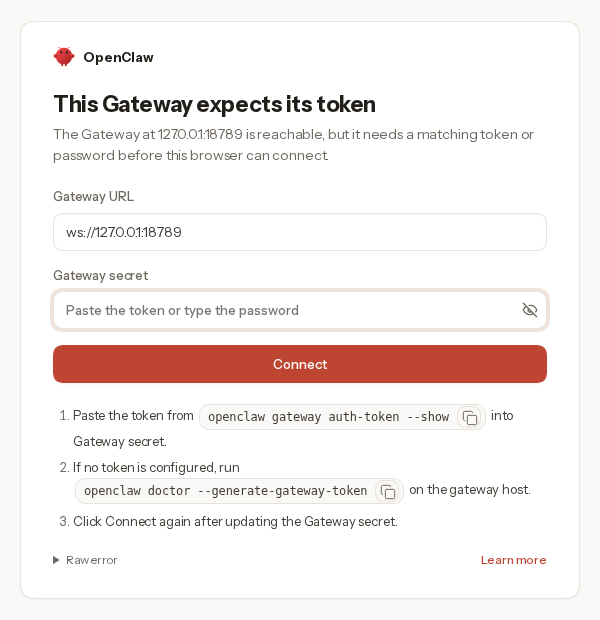
The tunnel command, the token command and troubleshooting are in the guide: https://wiki.pulsedmedia.com/wiki/OpenClaw_on_PMSS
If install-openclaw is not found on your server yet, it arrives with the next PMSS update.
Best Regards,
Väinämöinen
Pulsed Media Support
(The old sage welcomes a new apprentice)
Thursday, October 8, 2026
